 Kassa
Kassa



EN | Exhibition-Stand-Graphic-Design
tetrixadmin
2026-03-26T16:27:56+00:00

Simple and Transparent Design Process

EXHIBITION STAND GRAPHIC DESIGN
TETRIX provides professional exhibition stand design and display graphics for trade shows, events and marketing environments. Our team prepares print-ready artwork for modular exhibition stands, portable displays, banners, roll-ups, promotional flags and outdoor advertising systems. Whether you need graphics for a trade show booth, exhibition wall or marketing display, TETRIX ensures that your visuals are prepared correctly for large-format printing.
Professional Graphics for Exhibition Stands and Display Systems
Effective exhibition stand graphics and trade show booth design are essential for attracting visitors and communicating your message clearly. Strong visuals, correct image resolution and proper print preparation ensure that your modular exhibition stand, portable display or advertising system delivers maximum visibility.
At TETRIX, we design and prepare print-ready graphics for exhibition stands, trade show displays and marketing systems used at events, retail environments and outdoor promotions. Our design services help companies create professional visuals for modular exhibition stands, display walls, roll-up banners, promotional flags, outdoor advertising and illuminated signage.
Whether you need simple layout adjustments or a complete exhibition stand design, the TETRIX design team can prepare your graphics quickly and efficiently.
DOWNLOAD EXTEND series expo stand manual >>
DOWNLOAD MODULE series expo stand manual >>
Simple and Transparent Design Process
Need help designing your exhibition graphics?
If your layout only requires placing a logo, image and text, we can often help free of charge within reasonable limits. For more advanced design projects we provide professional design services at an hourly rate. We always confirm the cost with you before starting.
1. Contact TETRIX
2. Send your material (logo, images, text)
3. Receive a clear quotation for design work
4. Once approved, we begin the design
5. You receive a proof for approval
6. One revision round is include
Additional revisions cost 5€ per change
General Layout Tips for Exhibition Graphics
Use JPG Format
TETRIX primarily accepts JPG files in CMYK 4 colour format. If you are certain that all text is vectorized and no layer issues will occure in slide colors or shadow areas, then you can pack it into a pdf. Otherwise always use JPG files – they work best.
CMYK Colour Mode
All documents must be prepared in CMYK mode.
Recommended Colour Profiles
Use: Fogra 39 | Euroscale Coated V2 | ISO Coated.
Image Resolution
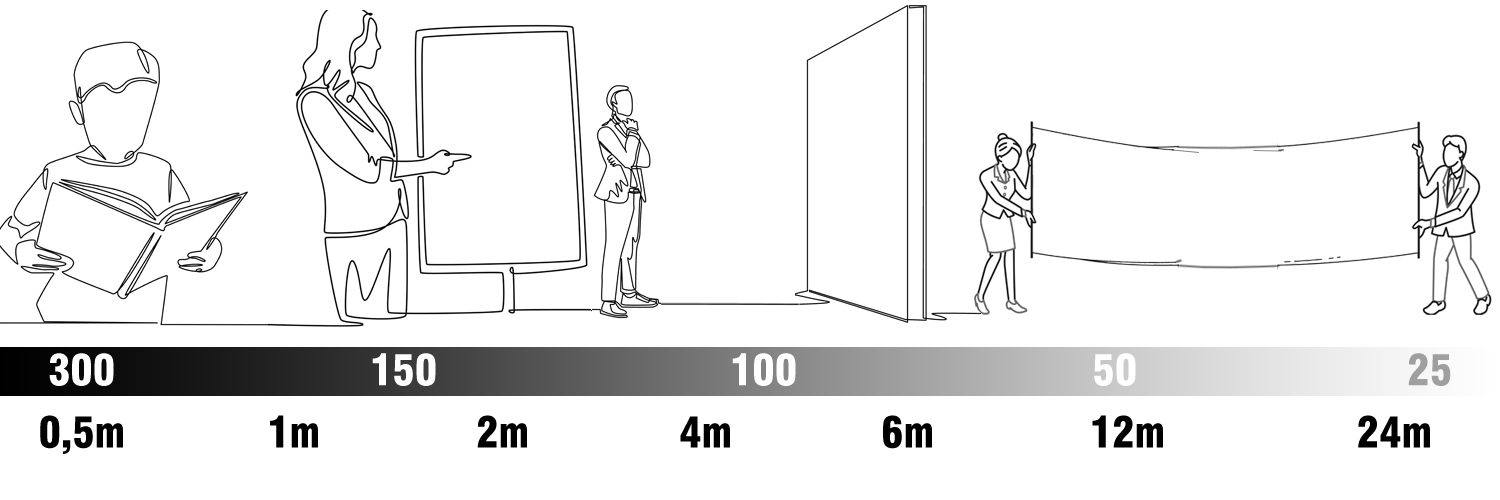
Recommended resolution for large format printing: 40–150 dpi at final size (1:1).
We Check Some…
TETRIX usually checks sizes and overall resolution and size. We automatically change RGB colors into CMYK before, if it is not done. Please note that we do not check e.g. spelling or colour fluctuations if files are not sent in as CMYK. Please inform us if you are not certain of an issue – as it is easier to avoid mistakes before they happen.
What resolution should exhibition stand graphics have?
The most important thing is using sharp photos. Resolution is secondary if the images are of poor quality. A sharp 40 dpi photo is always better than a blurry 500 dpi one. Enlarge your graphic to 100% size on your screen and take two steps back – if it looks good, well then it is good when printed also. Graphic walls usually do not require more than 50-75 dpi and Roll Ups will do with 75-100 dpi.
Uploading Your Exhibition Stand Graphics
Files can be uploaded using the file upload function in the top on this page.
Steps:
1. Select files from your computer
2. Enter your email address (Sender)
3. Add your order number that we provided you
4. Click Send to begin the uploa
Files under 20Mb can be sent by e-mail
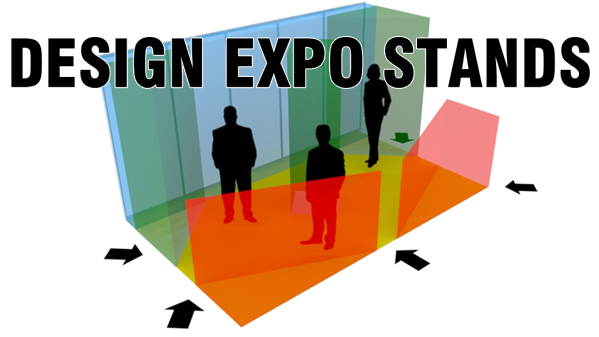
Designing Modular Exhibition Stands is more than just great graphics, one also has to plan the visual impact the design in relation to the stand, its position and size.
Graphic Design Services for All Tetrix Display Products
TETRIX provides graphic design for a wide range of exhibition displays, portable marketing systems and advertising structures.
Modular Exhibition Stands
Design for modular trade show booths and exhibition stands, including:
-
TUBE modular exhibition stands
-
ALU modular exhibition stands
-
FULL fabric exhibition walls
-
TRUSS modular stand systems
These systems allow flexible booth layouts with large seamless graphics and strong brand visibility.
Trade Show Displays and Portable Marketing Systems
Tetrix designs graphics for:
-
Exhibition walls and advertising walls (reklamvägg)
-
Exhibition counters (mässdisk)
-
Roll-up displays and banner stands
-
Logo carpets and branded floor graphics (logomatta)
These portable display systems are widely used at trade shows, conferences, retail promotions and corporate events.
Outdoor Advertising and Event Displays
Our design services also cover outdoor advertising displays and event marketing systems, including:
-
Advertising flags and beach flags (reklamflagga)
-
Promotional tents and event tents (reklamtält)
-
Outdoor display systems (utomhusdisplay)
-
Illuminated signage and light advertising (ljusreklam)
These solutions help companies create strong visibility in public spaces, sports events and outdoor promotions.
Printed Advertising Materials
Tetrix also prepares graphics for:
-
Advertising banners and posters (banderoll & poster)
-
Advertising boards and marketing panels (reklamskiva)
-
Decals, stickers and branding graphics (dekal)
Large-format printing ensures your brand message is visible from a distance.
Custom Exhibition Stand Concepts
If you want something unique, Tetrix also supports:
-
Custom stand design – invent your own exhibition stand
-
New display innovations and modular marketing concepts
Our modular systems allow companies to develop creative exhibition solutions while keeping costs efficient.
FAQ – Exhibition Stand Graphics & Print Design
What file format should exhibition stand graphics be in?
Exhibition stand graphics should be delivered as JPG files in CMYK colour mode. This ensures reliable large-format printing for modular exhibition stands, display walls, roll-ups and banners.
What resolution is needed for trade show booth graphics?
Large format exhibition graphics typically require 40–150 dpi at final size (1:1). Exhibition walls often work well at 50–75 dpi, while roll-up displays usually use 75–100 dpi.
Can TETRIX design graphics for exhibition stands and displays?
Yes. TETRIX provides exhibition stand design and display graphics services for modular exhibition stands, roll-ups, advertising flags, banners, outdoor displays and illuminated signage.
What colour mode should exhibition graphics use?
All files must be prepared in CMYK colour mode using profiles such as Fogra 39, Euroscale Coated V2 or ISO Coated to ensure accurate colours in large-format printing.
How do I send exhibition stand graphics to TETRIX?
Files can be uploaded using the file upload tool on this page. Smaller files under 20 MB can also be sent by email. Always include your order number when submitting artwork.
How do I prepare graphics for a modular exhibition stand?
Prepare your artwork at the correct final size using CMYK colour mode and follow the layout template provided for the display system. Tetrix design guides include safe areas, mounting edges and recommended resolution for modular exhibition stands such as TUBE, ALU, FULL and TRUSS.
What size should exhibition stand graphics be?
Exhibition stand graphics must match the exact dimensions of the display system or modular stand structure. Always use the product layout template to ensure that logos, text and images fit correctly within the visible graphic area.
Why do exhibition graphics look different when printed?
Colour differences may occur because different print materials, lighting conditions and colour profiles affect how colours appear. Preparing graphics in CMYK using recommended profiles such as Fogra 39 or ISO Coated helps ensure consistent printing results.
Advice for layout
JPG
Ever since 1.1.2011 we have
prioritized JPG format
in CMYK colours.
By doing this vectorisation
issues and RIP failures
of shadows and layers
are avoided
CMYK
All documents should
be in CMYK format to
keep the intended
colours in print. We
autamatically turn all
RGB files into CMYK
without notice.
PROFILE
Use Fogra 39 or older Euroscale
Coated V2. If your software should
promt ISO Coated instead of
Fogra or Euroscale, then choose
ISO
Photos and other pixel based
graphics should contain enough
resolution in the final print size.
1:1 (50-150 dpi) to awoid problems.
Test the resolution by enlarging
your artwork to 100% and take a
step or two back to see if the image
looks sharp enough.
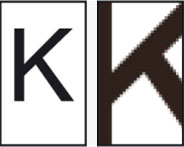
Enlarged raster images become
grainy if over enlarged. Use only
sharp images when designing.
grainy if over enlarged. Use only
sharp images when designing.
Media whiteness
The media used for print can
vary in whitness and hence give
some variations in color. Some
medias might also be transparent.
Also the light used to illuminate
interiors and graphics may give
som tone to the colours. Always
allow for some minor shade
differenceas it is normal in print.
The media used for print can
vary in whitness and hence give
some variations in color. Some
medias might also be transparent.
Also the light used to illuminate
interiors and graphics may give
som tone to the colours. Always
allow for some minor shade
differenceas it is normal in print.